





What Does “Likely a Business” Mean on Your Phone?
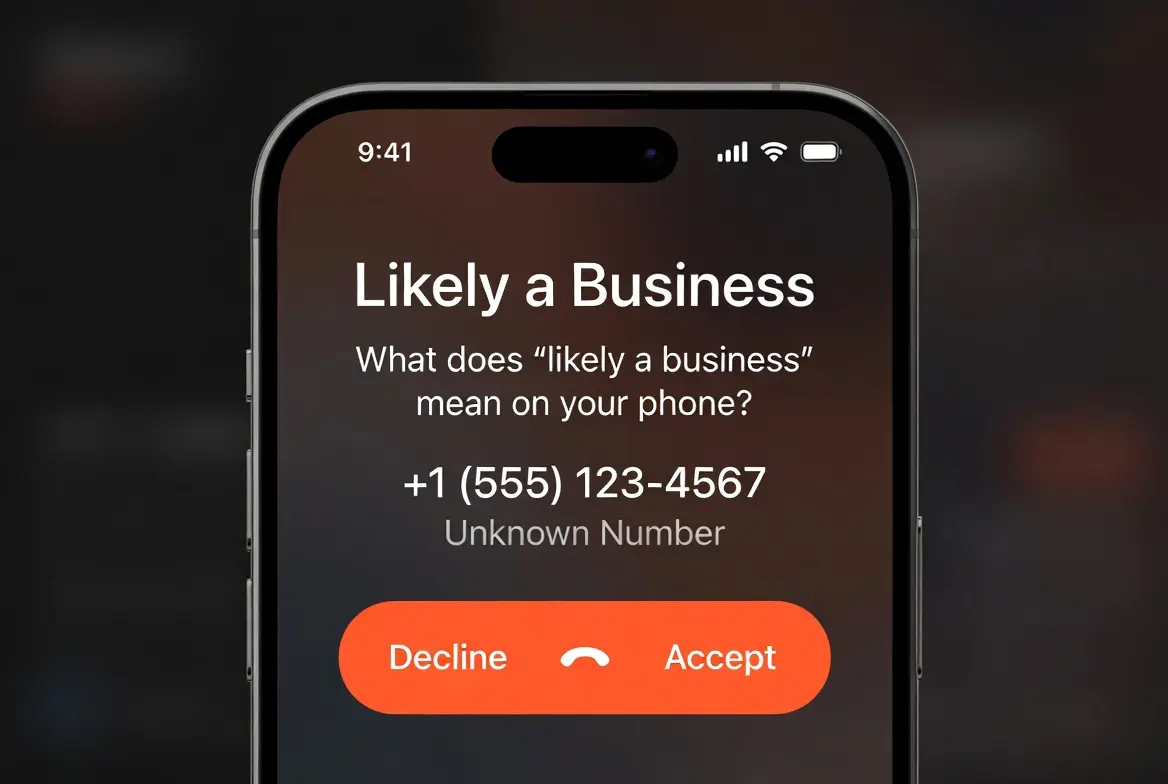
Whether you received a call labeled “Likely a Business” and want to know if it is safe, or your own business number is displaying that label when you call customers, this is the complete guide. We cover exactly what the label means, who generates it, why it appears, how it differs from “Spam Likely” and “Scam Likely,” and the precise steps to fix it if your number is affected.
| Label name | “Likely a Business” |
| Who generates it | Carrier analytics engines: Hiya, First Orion, TNS |
| Is the call blocked? | No — the call still rings through normally |
| Is it spam or fraud? | No — it is a neutral commercial classification |
| Who sees it | The person receiving the call, on their screen, before answering |
| Severity level | Medium — lower than “Spam Risk” or “Scam Likely.” |
| Can it be fixed? | Yes — FCR registration, CNAM alignment, and STIR/SHAKEN compliance help |
| Primary fix | Register at freecallerregistry.com + update CNAM with your carrier |
1. What “Likely a Business” Actually Means
When the words “Likely a Business” appear on your phone screen during an incoming call, they are not a warning from your carrier. They are not a spam flag. They are an automated classification label generated by a third-party analytics engine — typically Hiya, First Orion, or TNS (Transaction Network Services) — that your carrier has integrated into its caller ID system.
These three companies maintain enormous databases of phone number behavior, consumer complaint records, business identity registrations, and network signal patterns. When an incoming call arrives at your phone, your carrier queries one or more of these databases in real time. If the calling number matches a commercial call pattern — consistent outbound activity, a registered business CNAM, high call volume — the analytics engine returns a classification label, and your phone displays it.
The phrase “Likely a Business” is the system’s way of saying: this number shows strong signals of belonging to a commercial entity, but we have not verified its identity with full confidence. The word “Likely” is doing important work here. It signals a probabilistic output, not a confirmed identity. The system is making an educated inference from behavioral metadata — not a human judgment call.
This label is not the same as your carrier making a judgment call. AT&T, Verizon, and T-Mobile license the analytics technology from Hiya, First Orion, or TNS, respectively. The label originates from those third-party systems, not from the carrier independently deciding your call is suspicious.
A number labeled “Likely a Business” is not blocked. The call rings through normally. What changes is only what the recipient sees on their screen — and that single data point has measurable consequences for businesses that depend on outbound phone communication, because many recipients choose not to answer calls they cannot confidently identify. To understand the full scope of what “Likely a Business” means across different phone systems and carriers, including how the label varies between iOS and Android devices, see our dedicated breakdown.
2. Who Sees the Label — and When
The “Likely a Business” label is displayed on the receiving end of a call only. The person making the call never sees it on their own device — they have no visibility into how their call is being classified. The label appears on the recipient’s screen before they decide whether to answer, typically replacing or supplementing the calling number with a descriptive tag.
Whether and how you see the label depends on several factors that vary significantly between users.
Your carrier and their analytics partner
AT&T integrates Hiya’s technology into its Call Protect service. Verizon uses TNS through its Call Filter product. T-Mobile relies on TNS for its Scam Shield feature. Each carrier displays labels differently and applies different thresholds for when a commercial label appears. Some carriers display labels by default; others require users to enable call protection features.
Your device and operating system
iPhones display carrier-provided labels prominently on the incoming call screen. Android devices vary by manufacturer and carrier configuration. Some carrier apps overlay labels differently than the native dialer. Older handsets may not display analytics labels at all, depending on their age and network compatibility.
Third-party calling apps
Applications like Truecaller, Hiya’s standalone app, YouMail, and Nomorobo each maintain their own independent databases and apply their own labels to incoming calls — entirely separately from what your carrier shows. A call labeled “Likely a Business” by your carrier may show a completely different label in Truecaller. This matters because the remediation steps for each system are different. We cover the reasons why your phone shows “Likely a Business” in detail, including the differences between carrier-level and app-level labeling.
Whether the number has a verified CNAM
If a calling number has a properly registered and verified Caller ID Name (CNAM) record that matches the business’s registered identity, some systems will display the business name rather than a generic commercial label. When CNAM is missing, outdated, or inconsistent, the generic “Likely a Business” label is more likely to appear in its place.
3. I Received a Call Labeled “Likely a Business” — What Should I Do?
If a call displayed “Likely a Business” on your screen, here is how to interpret it and what your realistic options are.
What the label tells you
The label means the analytics system believes the call came from a commercial phone number — a business, call center, sales team, service provider, appointment reminder system, or similar. It does not mean the call is fraudulent, dangerous, or unwanted. Entirely legitimate organizations — medical offices, insurance companies, banks, delivery services, utilities, recruiters — frequently have their calls labeled this way because of how their phone infrastructure is configured, not because of any harmful intent.
What the label does not tell you
It does not confirm the business’s identity or tell you which company called. It does not guarantee the call was safe or the caller was reputable. And it does not mean you should automatically distrust the caller — but reasonable caution before providing personal or financial information is always appropriate with any unsolicited call.
Practical steps if you missed the call
- Check your voicemail first. Legitimate businesses calling with a genuine reason will almost always leave a message. No voicemail typically means the call was not urgent or the caller did not expect you to screen it.
- Search the number online. Type the exact number into Google. If it belongs to a known business, their website or Google Business profile will appear. If it belongs to a known telemarketer or scam operation, complaint forum posts will appear.
- Use a reverse lookup service. Whitepages, the Hiya app, or your carrier’s own call protection app can sometimes identify the registered owner of the number. Accuracy varies by service and number type.
- Call back when you are not under pressure. If you decide to call back, do so when you can assess the conversation carefully. Never provide personal, financial, or account information unless you have independently verified who you are speaking with.
If you receive repeated unwanted calls from a number labeled “Likely a Business,” you can report the number through your carrier’s spam-reporting feature. This adds a complaint signal to the analytics databases. Enough complaints can shift a number’s label to a more serious classification, which is why call complaint behavior directly affects businesses making outbound calls.
4. My Business Number Is Showing as “Likely a Business” — What Now?
If you have discovered that your business calls are displaying “Likely a Business” to recipients instead of your company name, you are dealing with a caller ID reputation problem — not a fraud accusation. This is very common and affects a large proportion of legitimate businesses, particularly those making moderate to high volumes of outbound calls.
The practical impact is documented and real. When recipients see a generic label instead of a recognizable business name, many choose not to answer. For businesses that depend on outbound calling — sales teams, appointment reminder systems, customer service operations, healthcare providers, and financial services firms — this label quietly drains call connection rates and revenue. The hidden cost of spam and commercial labels on B2B growth is often far larger than businesses initially realize, particularly when you account for the compounding effect on contact rates over weeks and months.
The good news is that “Likely a Business” — unlike “Scam Likely” or “Spam Risk” — is generally addressable without professional remediation services. It typically reflects a gap in your business’s identity signals within the telecom ecosystem, not a record of complaints or harmful behavior. The sections below explain exactly why the label appears and what to do about it.
5. Why Your Number Gets Flagged: 6 Common Causes
The label is generated automatically based on a combination of behavioral signals, identity metadata, and network-level data. Understanding which factors apply to your specific situation is essential before taking remediation steps — because the correct fix depends on the correct diagnosis. For a deeper analysis of each cause and how to identify which one applies to your number, see our guide on protecting your business number from misclassification.
High Outbound Call Volume
Making a large number of outbound calls in a short time window is one of the primary behavioral triggers. Analytics engines monitor call frequency patterns and interpret volume spikes as potential robocall behavior — regardless of whether those calls are entirely legitimate. The algorithm does not distinguish between a legitimate sales team and a robocall operation based on volume alone; it treats volume as a risk signal that feeds into its overall classification score.
Missing or Mismatched CNAM
Your Caller ID Name (CNAM) record is what displays alongside your number when you call someone. If your CNAM record does not exist, is outdated, does not match your registered business name, or is inconsistent across different carrier databases, the analytics system cannot verify your identity. Without a consistent, verified name attached to your number, the system defaults to a generic commercial label rather than displaying your actual business name.
Low STIR/SHAKEN Attestation
STIR/SHAKEN is the federal call authentication framework mandated by the TRACED Act of 2019. When your calls are transmitted, your carrier attaches a digital attestation certificate with a level of A (full), B (partial), or C (gateway). Calls signed at C-level — the most common scenario for VoIP and cloud phone systems — signal that your carrier cannot fully verify your identity, making commercial labeling significantly more likely. This is frequently the most impactful technical factor. Our dedicated guide on STIR/SHAKEN as the new standard for business call authentication explains how to identify your current attestation level and work toward full attestation.
No Free Caller Registry Enrollment
The Free Caller Registry (FCR) is a shared database jointly operated by Hiya, First Orion, and TNS. It allows businesses to proactively register their phone numbers as legitimate commercial callers. Without FCR enrollment, your number has no positive identity assertion in the system — making it substantially easier for the algorithm to apply a generic commercial label. Registration is free and typically the first step any business should take.
Shared, Ported, or Recycled Numbers
VoIP numbers and toll-free numbers are frequently reassigned between customers. If your number was previously used by a high-volume dialer, telemarketer, or business that accumulated consumer complaints, you may have inherited a negative or ambiguous reputation history when you acquired the number. The analytics databases do not automatically clear a number’s history when ownership transfers. This is particularly common with numbers sourced from bulk VoIP providers. Our guide on registering an LLC without exposing your personal phone number covers how to set up a clean, properly provisioned business number from the start.
Consumer Complaint Reports
When recipients of your calls report the number as unwanted — through carrier call-blocking apps, the Hiya platform, or other spam-reporting tools — those complaints feed directly into the analytics engines’ scoring models. Even a relatively small number of complaints on a high-volume calling line can shift the classification applied to your number. This can happen to businesses following all applicable regulations if a segment of recipients simply finds the calls unwanted, regardless of whether the calls are legally compliant.
6. “Likely a Business” vs “Scam Likely” vs “Spam Risk” — What’s the Difference?
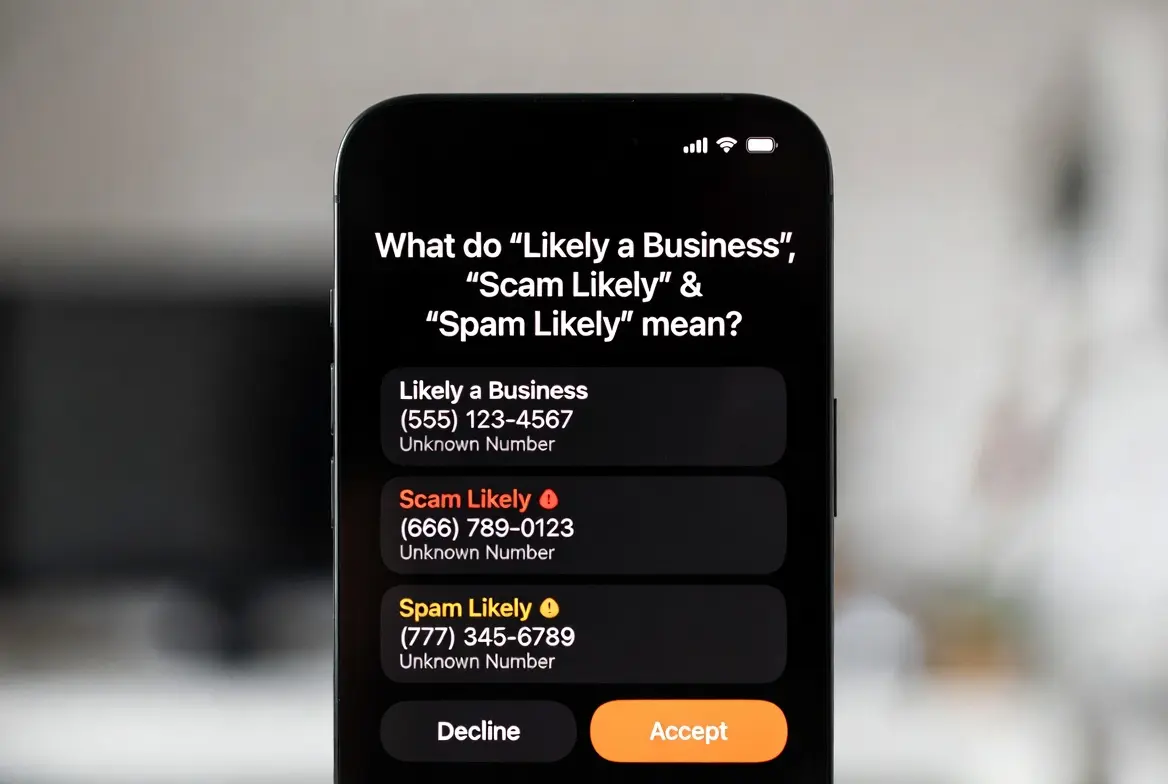
Not all caller ID labels carry the same weight, and treating them interchangeably is one of the most common mistakes businesses make when researching their options. The label applied to your number — or the label you see on an incoming call — sits at a specific point on a severity spectrum with very different implications for what action is required.
- Verified Business
- No Label
- Likely a Business
- Spam Risk
- Scam Likely
- Blocked
| Attribute | “Likely a Business” | “Spam Risk” | “Scam Likely” |
|---|---|---|---|
| Generated by | Hiya, First Orion, TNS | Varies by carrier | TNS (T-Mobile), Hiya (AT&T), TNS (Verizon) |
| Does the call still ring? | Yes — always | Usually yes | May auto-block on T-Mobile & some AT&T |
| Indicates fraud? | No — neutral commercial | Possible unwanted calls | High suspicion of fraudulent activity |
| Primary triggers | Commercial patterns, CNAM gaps, volume | Consumer complaints, call patterns | Complaint volume, spoofing signals, behavioral red flags |
| Urgency to fix | Medium | High | Very High |
| Self-fixable? | Yes — FCR + CNAM + STIR/SHAKEN | With effort and dispute processes | Rarely without professional help |
| Auto-blocking? | No | Rarely | Yes — T-Mobile and some AT&T |
If your number has progressed to “Scam Likely”, the situation requires different and more urgent action than “Likely a Business.” Scam Likely involves active call-blocking on some networks and formal dispute processes with the analytics providers. Do not treat it the same way.
Understanding this spectrum also clarifies why prevention matters more than remediation. A number sitting at “Likely a Business” today can move up the spectrum to “Spam Risk” if calling behavior does not change alongside identity remediation. The goal is not just to remove the current label but to build the kind of verified commercial identity that keeps the number in the “Verified Business” or “No Label” range long-term.
7. How to Fix a “Likely a Business” Label: Step-by-Step
The following steps represent the standard remediation pathway for businesses whose numbers are displaying “Likely a Business” to recipients. Not all steps will apply equally to every situation. For a comprehensive walkthrough of these steps with carrier-specific guidance, see our full guide on what “Likely a Business” means on caller ID and how to resolve it.
- Register with the Free Caller Registry (FCR)
Visit freecallerregistry.com and register your number as a legitimate business caller. The FCR is managed jointly by Hiya, First Orion, and TNS, so a single registration creates a positive identity record across all three major analytics engines. This is consistently cited as the highest-impact single action for most “Likely a Business” situations. It is free and takes approximately 15 minutes. - Verify and update your CNAM record
Contact your telephone service provider and confirm your Caller ID Name record is accurate, consistent with your registered business name, and properly provisioned. CNAM inconsistencies are extremely common — particularly for businesses that have changed their name, ported their number, or use VoIP services. Your provider may charge a small fee. Updates typically take several days to propagate fully. - Submit direct dispute requests to each analytics provider
Hiya, First Orion, and TNS each maintain separate business portals for label review requests. Visit each provider’s portal individually. Be prepared to provide documentation confirming your business identity, your ownership or authorized use of the calling number, and the legitimate commercial purpose of your calls. Each provider has different processing timelines. - Audit your STIR/SHAKEN attestation level
Ask your carrier or VoIP provider which attestation level your outbound calls are currently signed at. If you are receiving C-level (gateway) attestation — the lowest tier — ask specifically what steps are required to achieve A-level (full) or B-level (partial) attestation. This often requires registering your number with your provider and completing a business verification process. The STIR/SHAKEN framework is explained in full in our guide on STIR/SHAKEN and business call authentication. - Check for inherited reputation history
If your number is newly acquired, ported, or obtained through a VoIP provider, research whether it carries a prior history of complaints or negative classifications. Tools, including Hiya’s business portal and some third-party number reputation checkers, can provide insight into how a number is currently classified and whether it has a complaint history from a previous owner. - Review and adjust your calling behavior
Even after successful remediation, labels can return if underlying behavioral patterns continue to trigger the analytics engines. Review your outbound call volume, call timing, abandonment rates (calls that do not connect after dialing), and opt-out compliance. High volume combined with low answer rates and high abandonment are among the strongest re-flagging signals. Our detailed resource on protecting your number from ongoing misclassification covers behavioral best practices in depth.
Label changes, once remediation requests are submitted and processed, typically begin propagating across carrier databases within 48 hours. Full propagation across all systems can take up to 10 business days. These timelines are approximate and vary by provider — verify current timelines directly with each analytics partner before setting internal expectations.
- What is “Likely a Business” on Caller ID? — Full Explainer
- How to Protect Your Business Number from Misclassification
- Why Your Phone Shows “Likely a Business” — Carrier-by-Carrier Breakdown
- STIR/SHAKEN: The New Standard for Business Call Authentication
- The Hidden Cost of Spam Likely Labels on B2B Growth
- How to Register an LLC Without Exposing Your Personal Phone Number
- What Does “Likely a Business” Mean? — Deep Dive
8. STIR/SHAKEN, CNAM, and the Free Caller Registry Explained
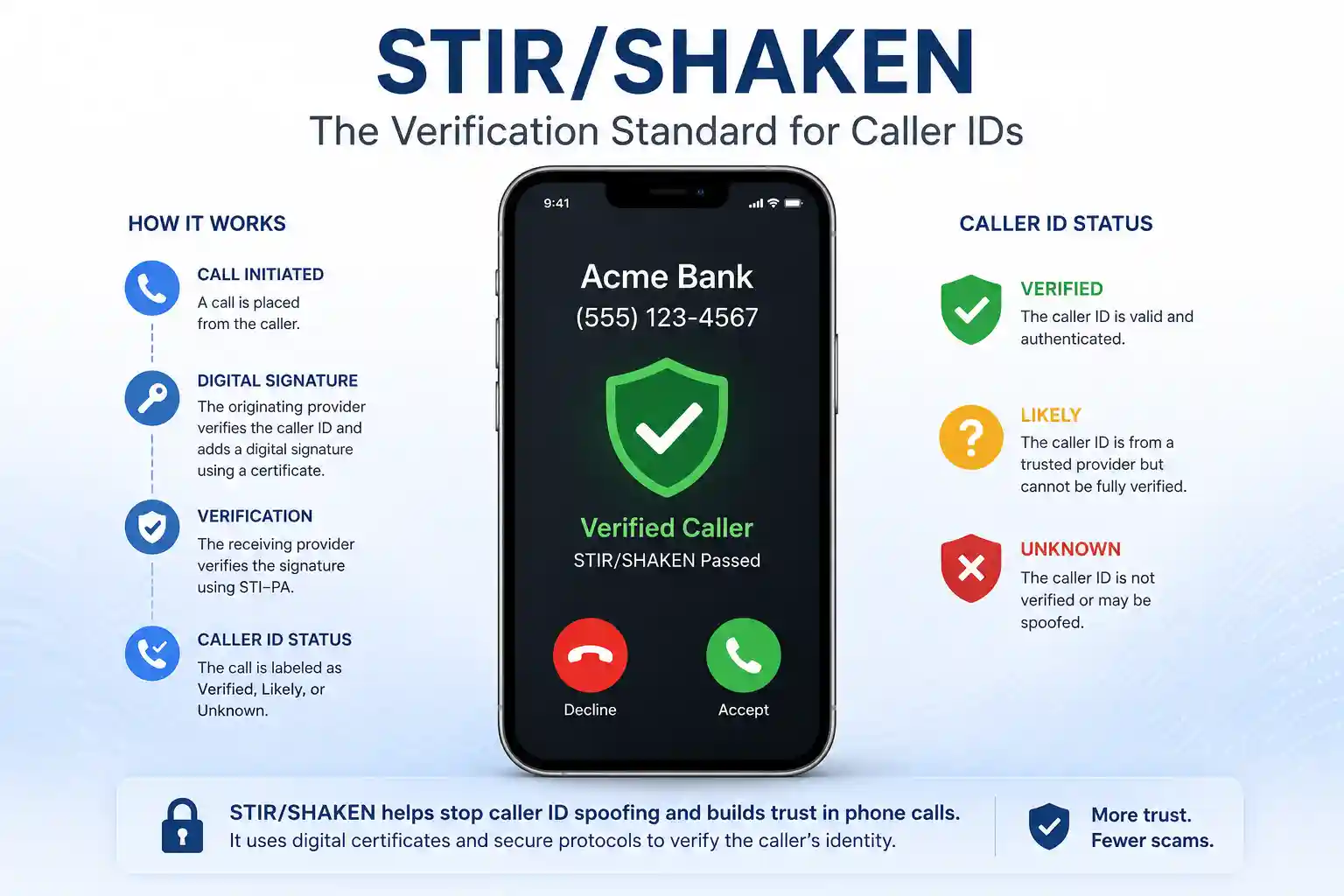
Three technical systems sit at the core of how calls get labeled in the modern US telephone network. Understanding each one in plain language is essential for understanding both why labeling happens and why specific remediation steps work.
STIR/SHAKEN — the digital signature framework
STIR stands for Secure Telephone Identity Revisited. SHAKEN stands for Signature-based Handling of Asserted information using to KENs. Despite the acronyms, the concept is straightforward: it is a cryptographic signature system for phone calls, functionally similar to the HTTPS certificate system that authenticates websites.
When you make a call, your carrier attaches a digitally signed certificate to the call metadata. This certificate includes an attestation level — A, B, or C — that tells the receiving carrier how confidently your carrier can verify your identity:
- A-level (Full Attestation): Your carrier has verified that you are an authorized user of this specific number. This is the gold standard and results in the least labeling.
- B-level (Partial Attestation): Your carrier knows the call originated from your account, but cannot verify you have authorization to use this specific calling number.
- C-level (Gateway Attestation): Your carrier received this call from an external source and cannot make any verification claims. This is the most common scenario for VoIP calls and the most common technical trigger for commercial labeling.
Calls signed at the C-level are treated with significantly more suspicion by analytics engines because the receiving system cannot confirm who is actually making the call. Improving your attestation level from C to A or B is often the single most impactful technical change a business can make to its caller ID reputation. See our comprehensive guide on STIR/SHAKEN and what it means for your business for carrier-specific instructions.
CNAM — Caller ID Name
CNAM is the name that appears alongside your phone number on caller ID. In the US, CNAM is stored in a separate database and looked up by the receiving carrier when an incoming call arrives. The key problems are: CNAM databases are fragmented and not always synchronized; carriers use different CNAM lookup providers; and VoIP services frequently do not provision CNAM automatically.
If your number has no CNAM record, your business name will never display — recipients will see only the number, or a generic label. If your CNAM is outdated or contains a former business name, it creates an identity inconsistency that analytics engines weigh negatively. Updating CNAM requires contacting your telephone service provider directly. Changes typically propagate within several days, though not always uniformly across all carriers.
The Free Caller Registry
The Free Caller Registry is a shared industry resource available at freecallerregistry.com. It is jointly operated by Hiya, First Orion, and TNS — the three companies responsible for the majority of commercial caller ID labeling in the US. Registration allows businesses to proactively assert their identity as legitimate commercial callers across all three systems with a single action.
Registration requires providing your business name, contact information, and the phone numbers you use for outbound calling. You will also need to attest that your calling practices comply with applicable regulations. Basic registration is free. The registry does not guarantee the immediate removal of any existing label — it creates a positive identity signal that the analytics engines can weigh alongside behavioral data when determining classifications going forward.
9. “Likely a Business” in Truecaller — A Different System
Truecaller is a third-party caller ID application with a very large global user base, particularly outside the United States. It is important to understand that Truecaller operates its own completely independent classification system, separate from the Hiya, First Orion, and TNS systems that power carrier-level labeling in the US.
Truecaller builds its database from a combination of user-reported data, phone book information, and its own behavioral analysis. A number labeled “Likely a Business” through your carrier may show an entirely different classification in Truecaller — or vice versa. Remediation steps that work for carrier-level labels (FCR registration, CNAM updates, STIR/SHAKEN compliance) will have no direct effect on how Truecaller classifies your number.
Some Truecaller users have reported their personal numbers being incorrectly classified as “Likely a Business” within Truecaller, specifically, a known issue in Truecaller’s community forums. If your number is being misclassified in Truecaller, you must address it through Truecaller’s own business verification and name correction processes, available through their website. This is a separate process from carrier-level remediation, and the two are not interchangeable.
If your calling audience includes a high proportion of users in markets where Truecaller has strong adoption — including parts of South Asia, the Middle East, and Africa — Truecaller’s classification may be more directly impactful on your answer rates than carrier-level labels. In that case, prioritizing Truecaller’s business verification process alongside, not instead of, carrier-level steps makes sense.
10. The Hidden Business Cost of Being Labeled
The direct effect of a “Likely a Business” label is clear: some recipients see the label and choose not to answer. But the compounding indirect costs are often larger and less visible, and they are worth understanding before deciding how urgently to act.
When call connection rates drop — even modestly — the downstream effects multiply across the entire revenue funnel. A sales team that connects with 30% fewer prospects does not simply lose 30% of its potential deals; it loses the pipeline that would have been built from those connections over weeks and months. Appointment reminder systems that cannot reach patients or clients create downstream costs in no-shows, reschedules, and follow-up labor. Customer service operations that cannot reach customers proactively generate inbound call volume from customers following up on themselves.
There is also a reputational dimension that is harder to quantify. Customers who see an unfamiliar label on a call from your business and choose not to answer may not recognize your number the next time they see it. The label actively erodes the brand recognition value of your phone number as a communication channel.
The cumulative financial impact is explored in depth in our analysis of how spam and commercial labels affect B2B growth, which breaks down the cost calculation for outbound-dependent businesses and provides frameworks for estimating the revenue impact of caller ID reputation problems on your specific operation.
11. Frequently Asked Questions
What does “Likely a Business” mean on my phone?
Is “Likely a Business” the same as being marked as spam?
Will my call be blocked if my number shows “Likely a Business”?
How do I fix a “Likely a Business” label on my business number?
How long does it take to remove the label?
Can the “Likely a Business” label come back after I fix it?
Does registering as an LLC help fix the label?
I received a “Likely a Business” call. Is it safe to call back?
Does “Likely a Business” appear differently in Truecaller than on my carrier?
What is the Free Caller Registry, and does it actually work?
- What is “Likely a Business” on Caller ID? — Full Explainer
- What Does “Likely a Business” Mean? — Deep Dive
- Why Your Phone Shows “Likely a Business” — Carrier Breakdown
- How to Protect Your Business Number from Misclassification
- STIR/SHAKEN: The New Standard for Business Call Authentication
- The Hidden Cost of Spam Likely Labels on B2B Growth
- How to Register an LLC Without Exposing Your Personal Phone Number